Keeping your payment information up-to-date is crucial to maintain your seamless experience with your Chaikin Analytics subscription.
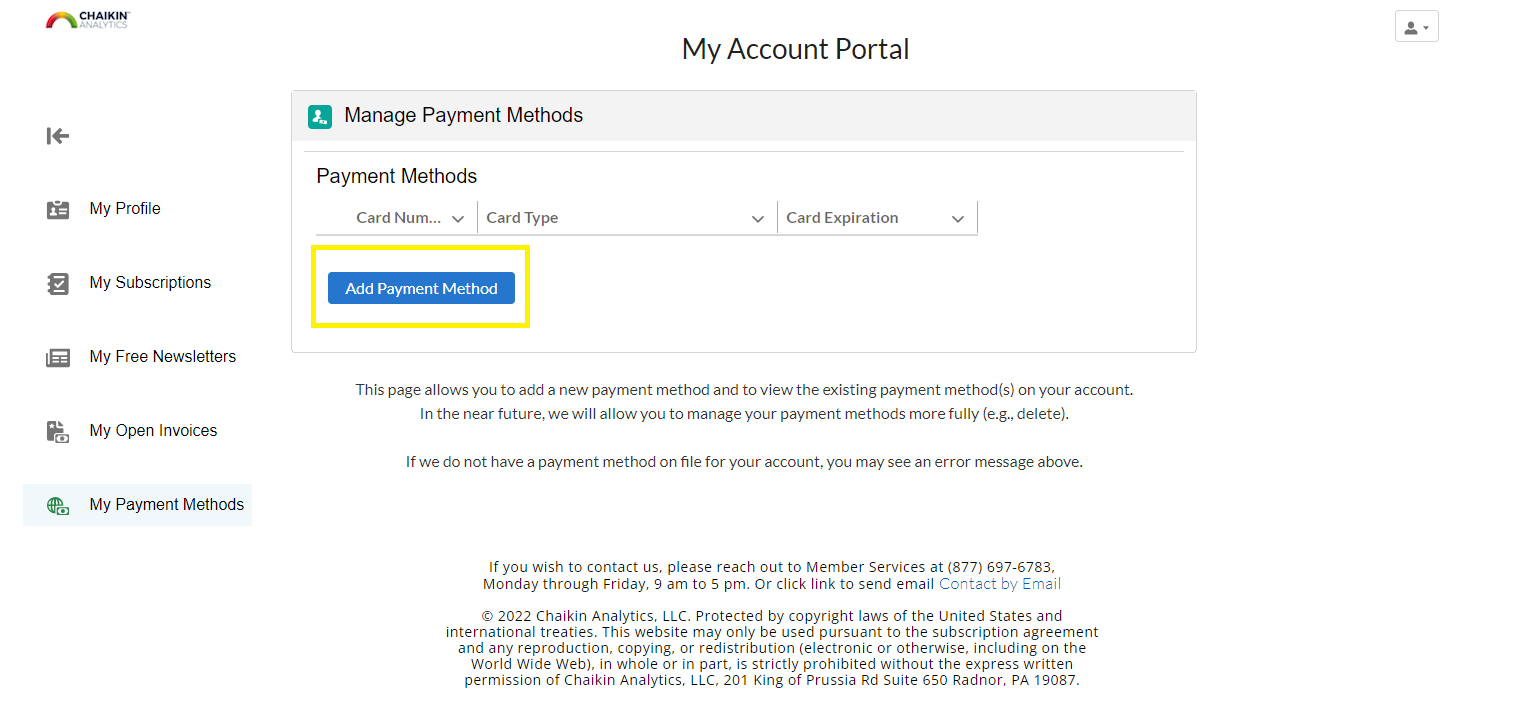
You can add a new credit or debit card through our online account portal: go to My Account > Manage Membership > My Payment Methods and click Add Payment Method. Member Services can also update your payment information for you.
Before you add a card, check which payment methods we accept.
💳 How do I add a new payment method online?
- Log in to Chaikin Analytics, then click My Account in the upper-right corner.

- Select Manage Membership from the menu. This opens your account portal.

- In the left menu of the account portal, click My Payment Methods.
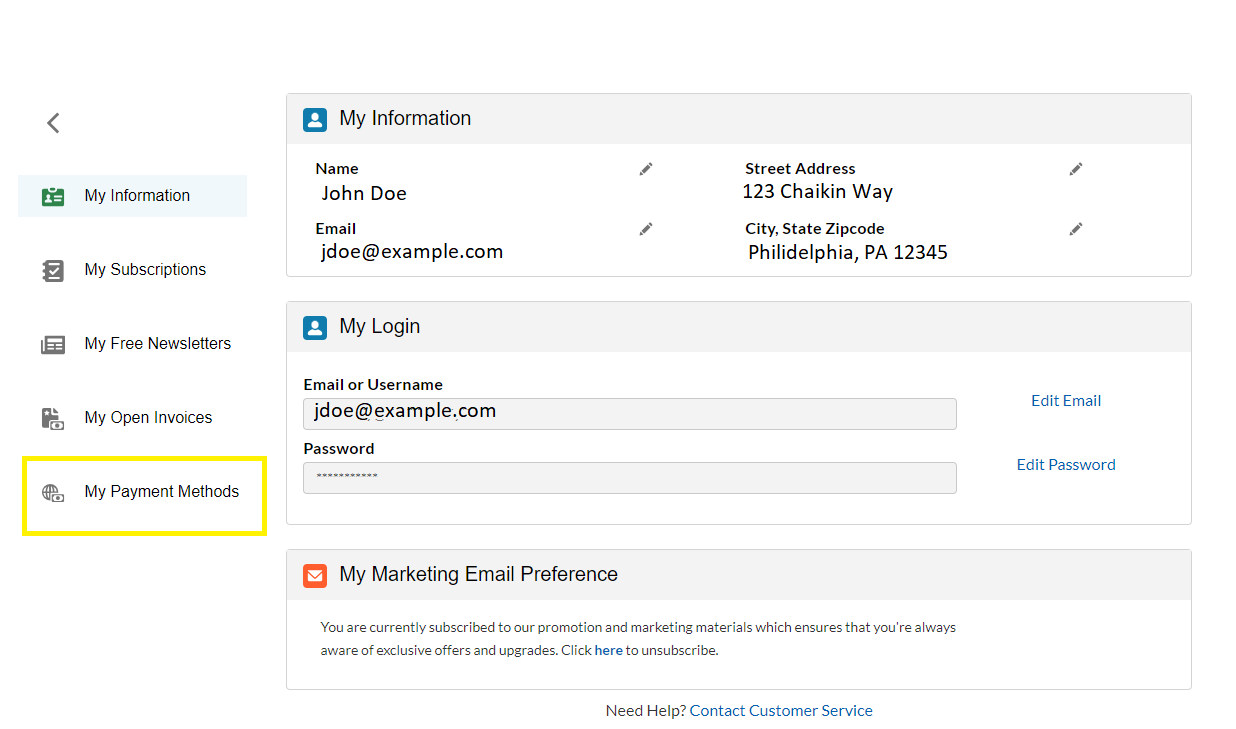
- The Manage Payment Methods page lists the cards on your account by Card Number, Card Type and Card Expiration.
- Click Add Payment Method and enter your new credit or debit card details.
📞 Can Member Services update my payment information?
Yes, our Member Services department is able to make payment method changes for your account by phone or email.
- Phone: (877) 697-6783, Monday through Friday, 9am to 5pm ET
- Email: info@chaikinanalytics.com
If you have an unpaid invoice to settle, see Viewing and Paying Open Invoices.