Keeping track of your Chaikin credit balance is both convenient and important. You have two easy ways to stay informed:
Option 1: Contact Customer Service
Call us at (877) 697-6783 during our hours, Monday to Friday, 9 a.m. to 5 p.m. Eastern Standard Time. Our Customer Service team is happy to provide your current credit balance details.
Option 2: Online Check via Your Account
Log in to the Chaikin Analytics website and click 'My Account' in the upper right-hand corner.

Select 'Manage Membership' from the dropdown menu.

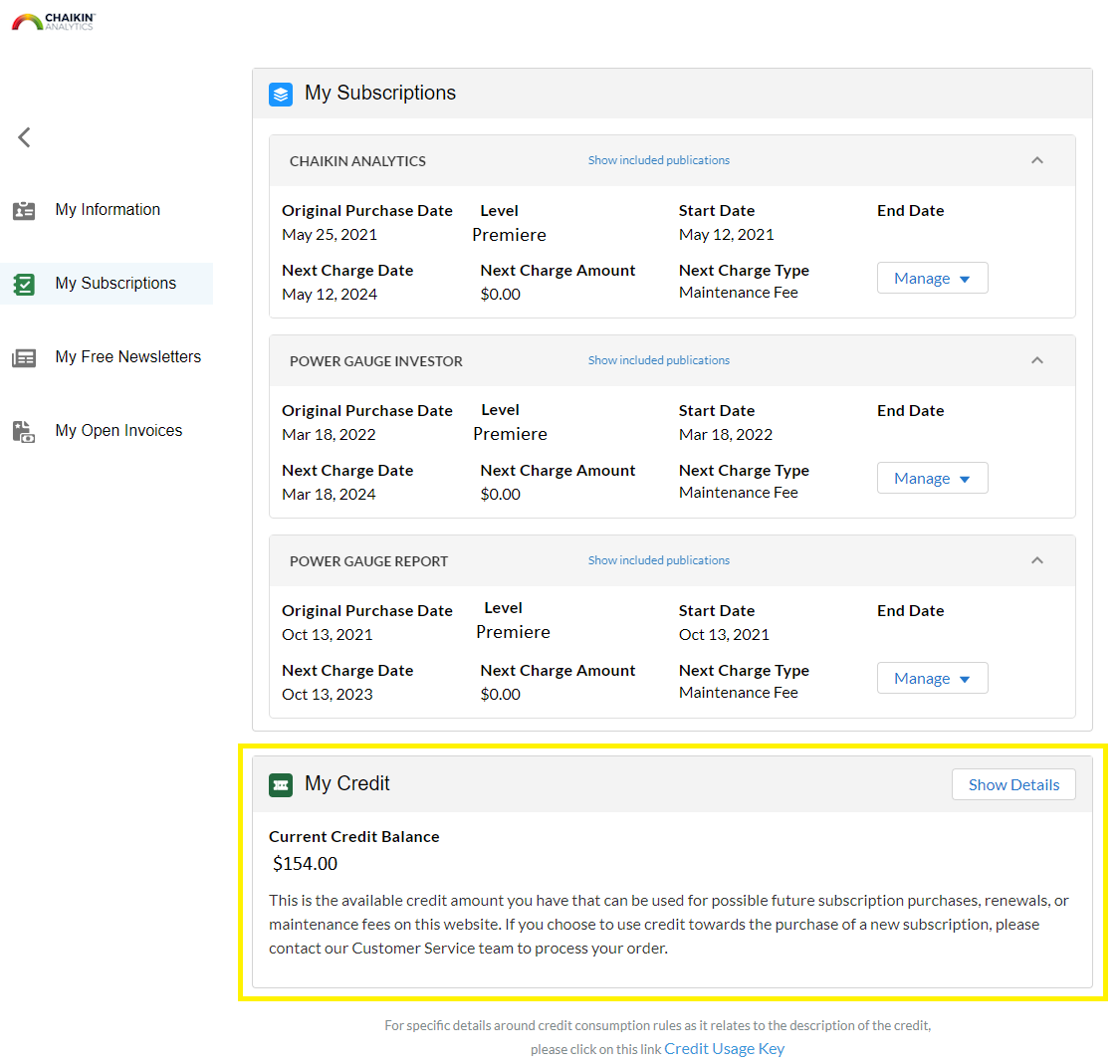
A new window will open displaying your account and login information. To see all your subscriptions, click the 'My Subscriptions' button on the left-hand side. From here you'll see the option to view your account credit at the bottom of the page.
🛒 How do I use my credit?
To use your credit toward a new subscription, please call Member Services and we will ensure your credit is applied to your purchase. Our Member Services team is available Monday to Friday, 9 a.m. to 5 p.m. Eastern Standard Time at (877) 697-6783, or via email at info@ChaikinAnalytics.com.
Credits on your account may be used before your card is charged, but you still need a payment method on file; for more information, see How Do I Add a New Payment Method?